
Index the blog post in Google in just 2 minutes.

If you are involved in blogging, then you must have faced the problem of post index in google at some time. Google is the world's largest search engine. Where people search anything according to their needs. Google gets the search content from the website. Displays as search results.
You have a website, you are constantly posting. The quality of your content is very good. But if your post is not indexed in Google, no matter how good the content is, even after posting regularly, visitors will not come to your site from Google. And those of us who are new to blogging. If they can't bring visitors from Google to the website, the chances of getting AdSense are greatly reduced.
Therefore, it is important to regularly post good quality posts and get indexed in Google. As I said at the beginning, those of us who blog often suffer from post index problems in Google. In that case, it takes a lot of time to get the post indexed. Also, requesting more posts for indexing is a bit time-consuming.
Anyway, let's get down to business. Today I will show you how to get all posts of a blog site indexed on Google very quickly. For this you must have Google News approval for your blog site. Because, the process that I will show you today is how to quickly index Google News posts on Google News. I will use (Publishercenter). If you are not approved by Google News, please comment. I will post later, how to get 100% fast approval in Google News.
Follow each step below carefully to get your post indexed on Google quickly.
Step : 1 Go after posting on your websiteFeedburnerA. Sign in to the account where your site's feed is added. Then as shown in the screenshot below, first click on the 3 dots next to the name of your site's feed. (Instead of its feed, but the first step 2 will happen even if you don't follow.)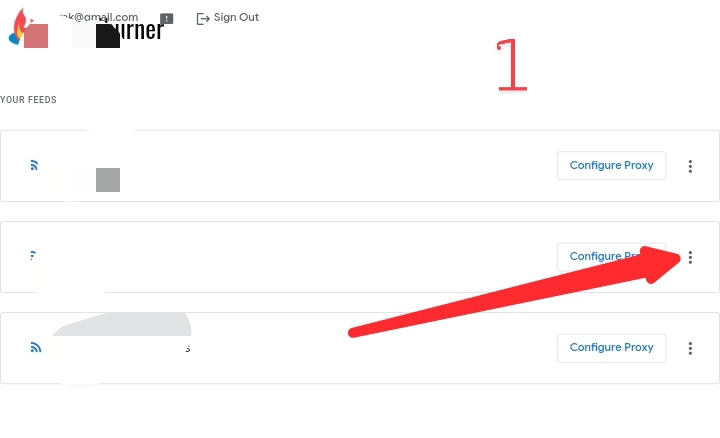
Step: 2 Then click on Refresh Feed as shown in the screenshot below.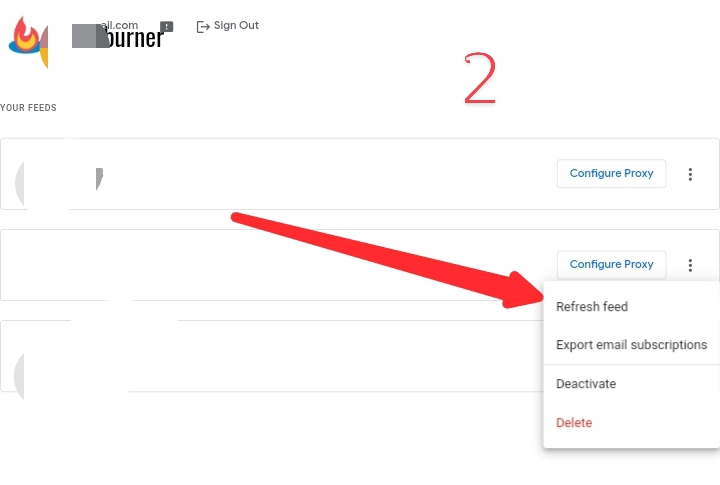
Step: 3 Now goPublisher CenterA. Sign in the account in which Google News is approved. Then click as shown in the screenshot below.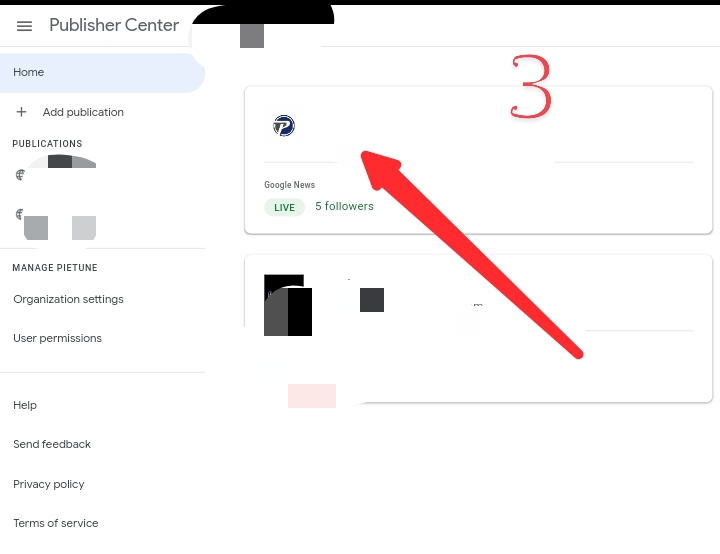
Step: 4 Then again click on Google News as shown below.
Step: 5 Then click on the Edit option as shown in the screenshot below.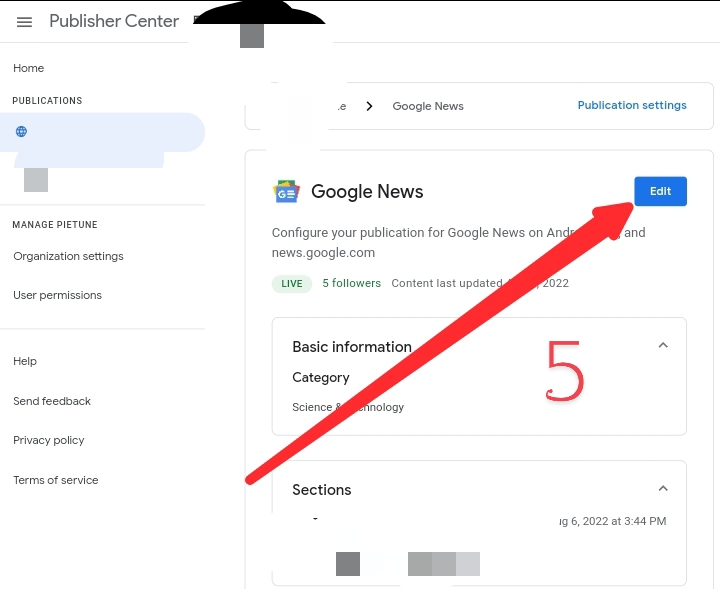
Step: 6 Now click on Content Settings as shown below.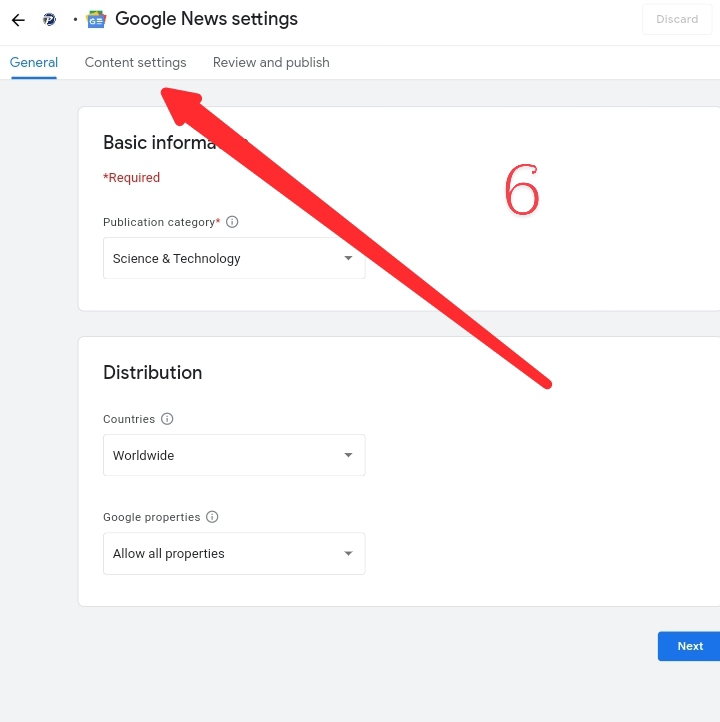
Step : 7 Now refresh the feed added to your Google News several times like the screenshot shown below. rss) will still work. Just refresh the feed a few times. But it is better if you use Feedburner. Because, we have refreshed the feed earlier by going to Feedburner. By doing this, the feed has been updated. If you refresh the feed in Publisher Center, it will be updated. Feedburner's content will be updated on Google News. As a result, your post will be indexed on Google in less than 2 minutes.
See the screenshot below. I took a backup of my blog site, opened a new blog, imported it, added Google News approved domain and updated all its posts in Google News. And immediately all my posts were indexed.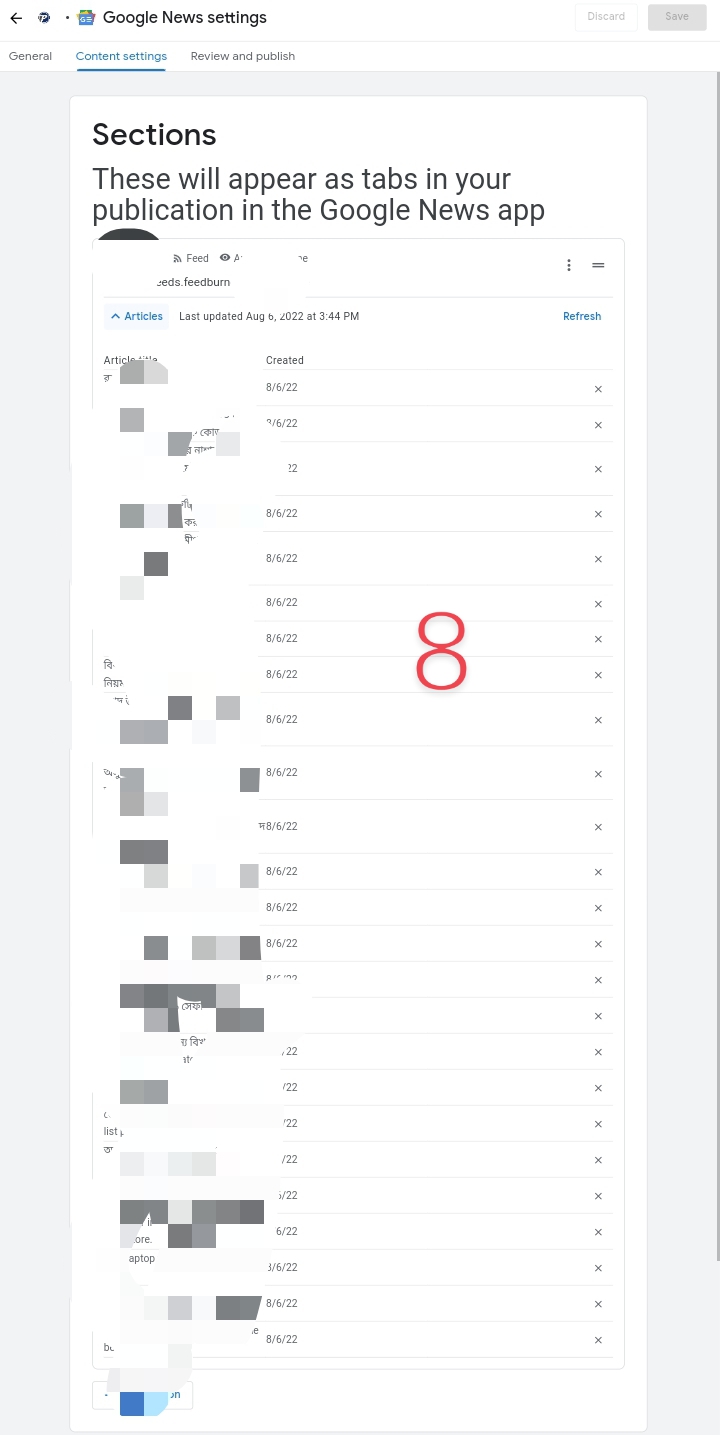
Hope this post of mine today will save you a lot from post indexing problems in Google.
