
How to Make Automatic SafeLink on Main Blog

Blogger is the only blogging platform that most bloggers use when they start blogging. Many people are already earning good amount by blogging. Some are working with AdSense with free blogspot subdomain.
Blogger is a completely free platform. Where users can get success without spending any money for blogging. A blogger who has started blogging with Blogger, he can continue blogging with AdSense approval by working with Blogger's subdomain.
By blogging, we get AdSense approval and earn from there. Many people use other ads network as well. But the best of the best is AdSense. AdSense approved website is sold at a good price. This is where the importance of AdSense can be understood.
After getting adsense we have to focus on increasing our income. Good clicks depend on proper placement of ads.
Today I will show you how to make safelink on main blog .
How does SafeLink work?

Safelink template/script is a set which is designed with javascript. That means this safelink will encrypt all the links on your blog. If a visitor clicks on any link provided on your blog, he will have to go through the safelink you have created. .
You can write an article inside the Safelink you have created. You can earn from there with AdSense's ad code.
How many types of safelinks?

There are 2 types of safelinks.
1. An entire blog that is used for safelinking. That is, the entire blog is used for link shortening.
2. Safelink page. Open a page on the main blog and create a safelink there. All the links on the blog will be redirected to the safelink.
Now some templates are available in which developers modify and add safelinks. I have already shared some of these templates. If you want, you can check it from my profile.
How to make auto seflink in the main blog?
By following this process you can create safelink on your main blog. You just need to install 3 sets of code on your blog which you can do from your blog dashboard.
I am giving a demo of Safelink from below, come and see. And if you have problem copying any of the codes given here, download the codes from the download link given below.
Follow each of the below steps carefully to create safelinks on your main blog.
Section 1: Installing the page code
Step 1 : First yoursBloggerGo to Dashboard. Then go to Pages .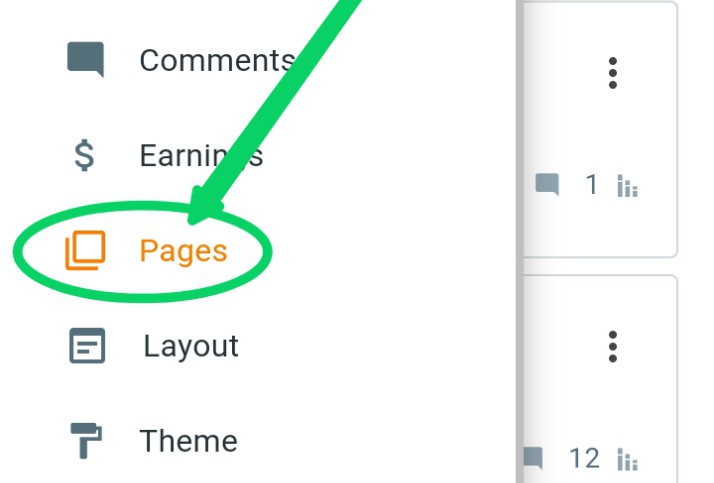
Step 2: Then click on the +(plus) icon.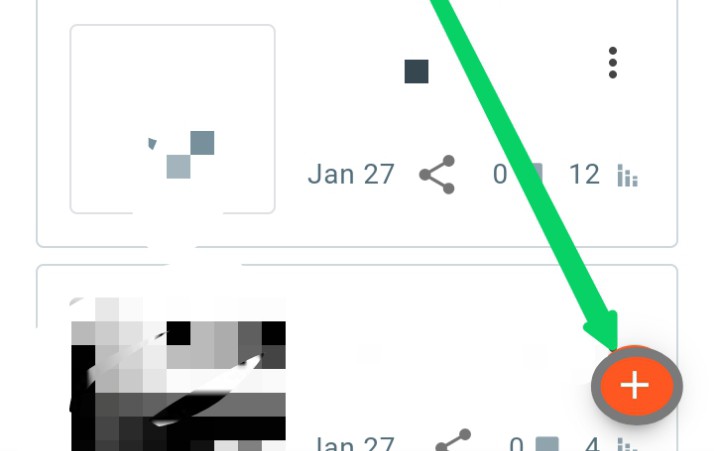
Step 3 : Now click here.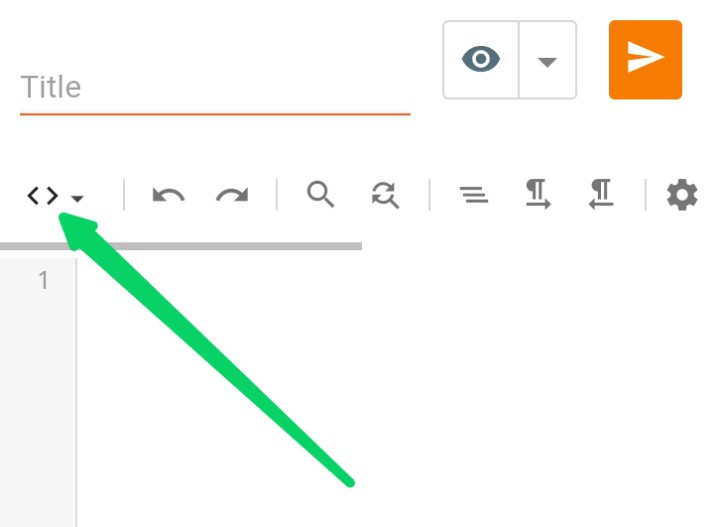
Step 4: Then turn on HTML VIEW.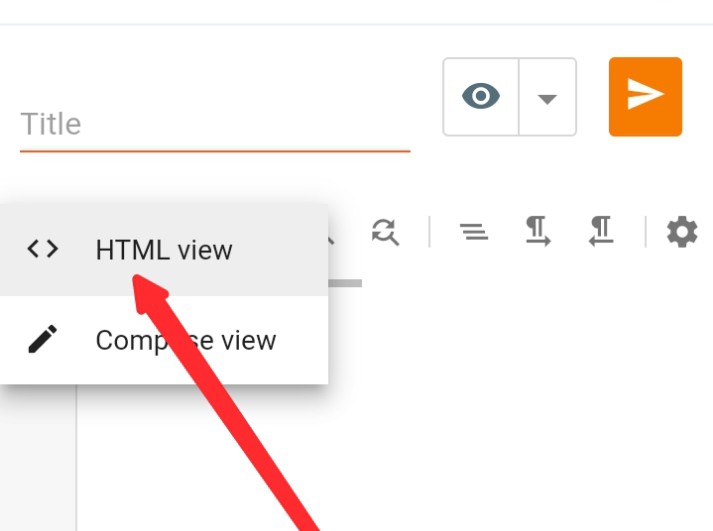
Step 5: Now give a title called Safelink. If you only give Safelink, then you only need to replace your site link with the links I have given. If you want, you can give something else without giving Safelink. But in that case, paste the codes given for the page. After publishing the page, copy the link of that page and replace it in the same place as shown in Step 7.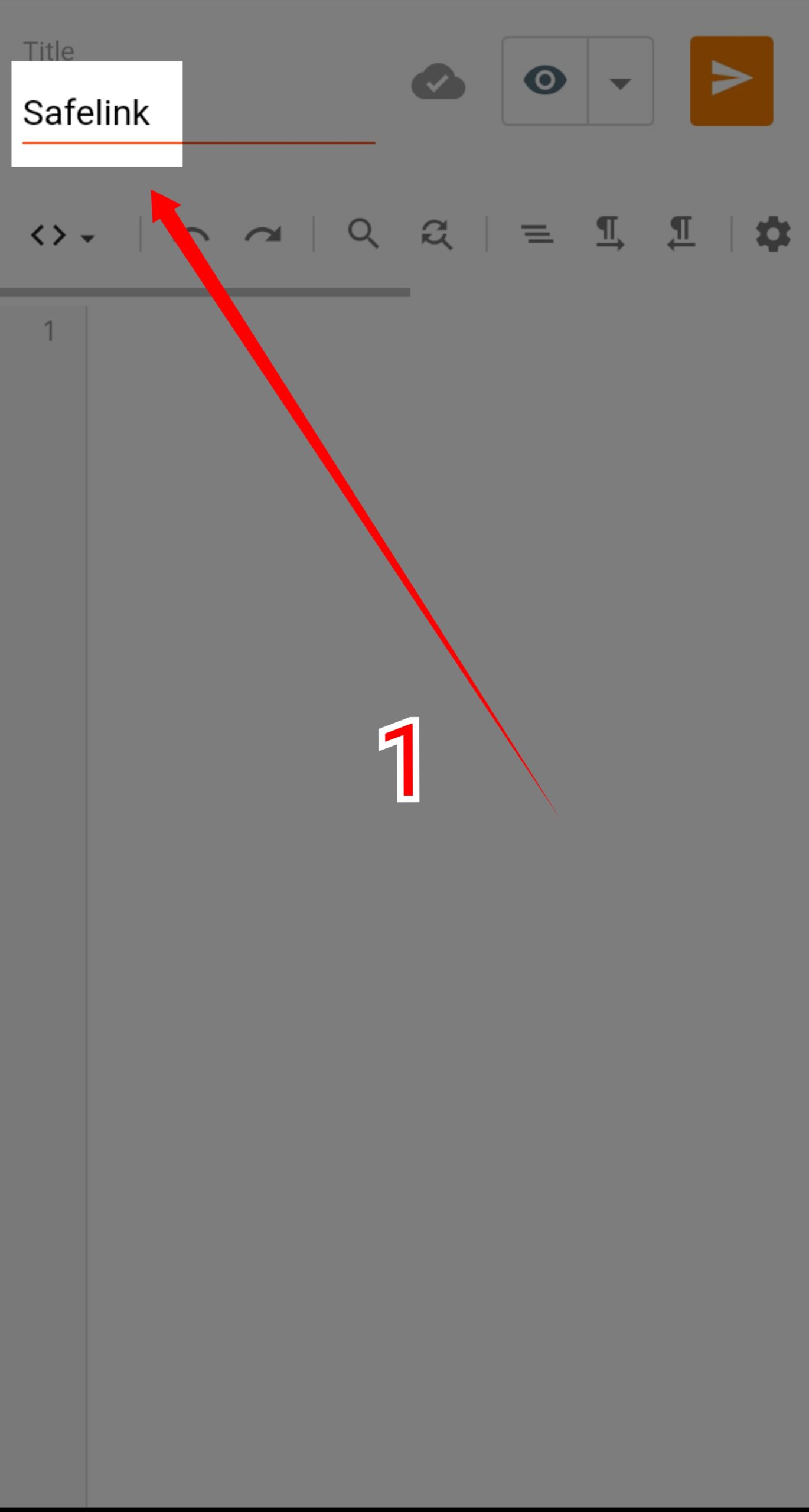
Step 6: Now copy the codes given below. Then paste them on that page.
By clicking hereCodes from codepen (in html) are given. Copy it.
Step 7: See in the screenshot below, there is a link your_domain. Replace it with your site's domain. As I explained in Step 5, if you give Safelink as the page title, then you only need to replace your domain with your_domain. But if you give another title, copy the link of that page and replace it again at that place.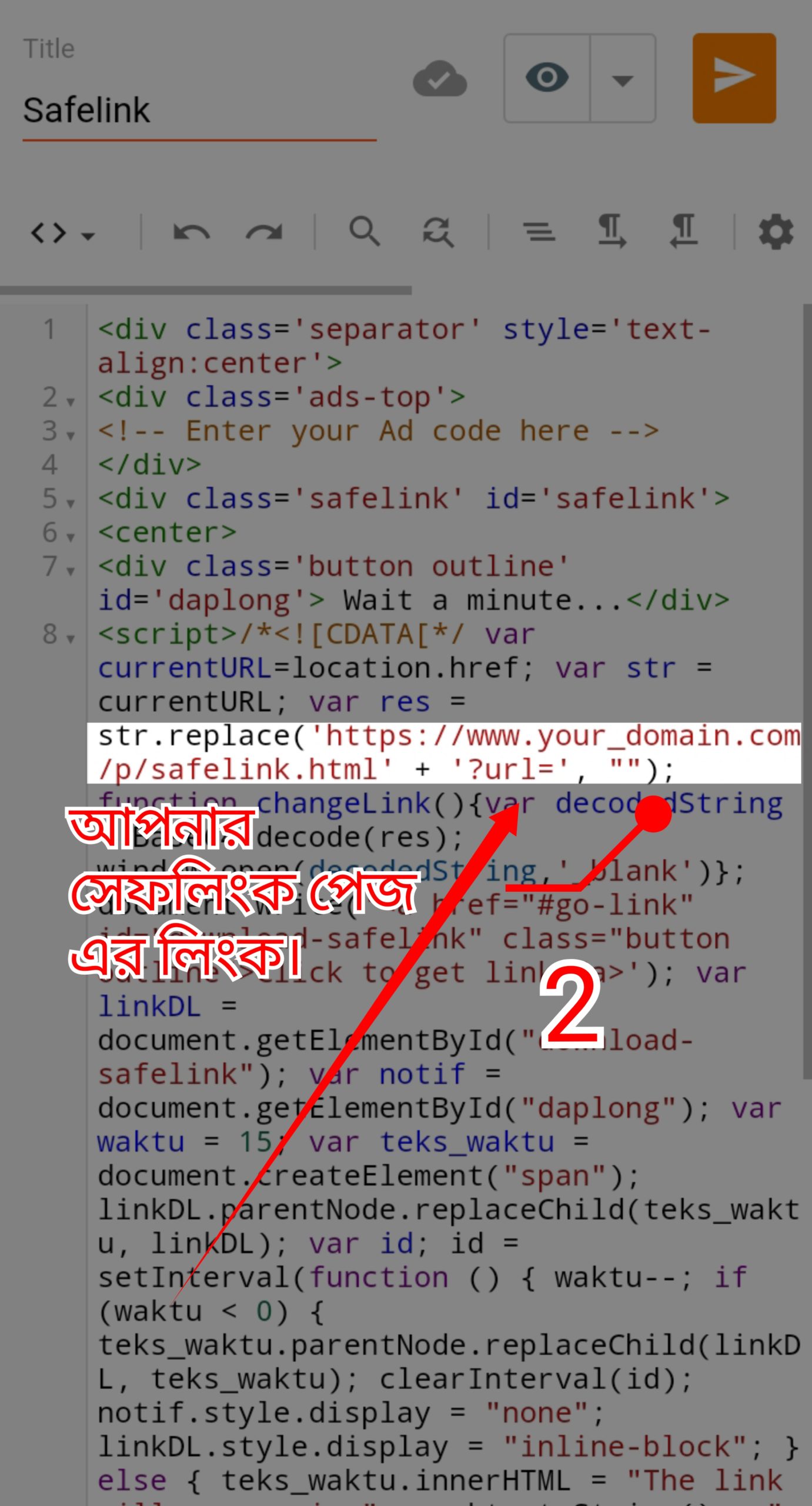
Step 8: Under Article Content Here, enter the article you want to add to your safelink.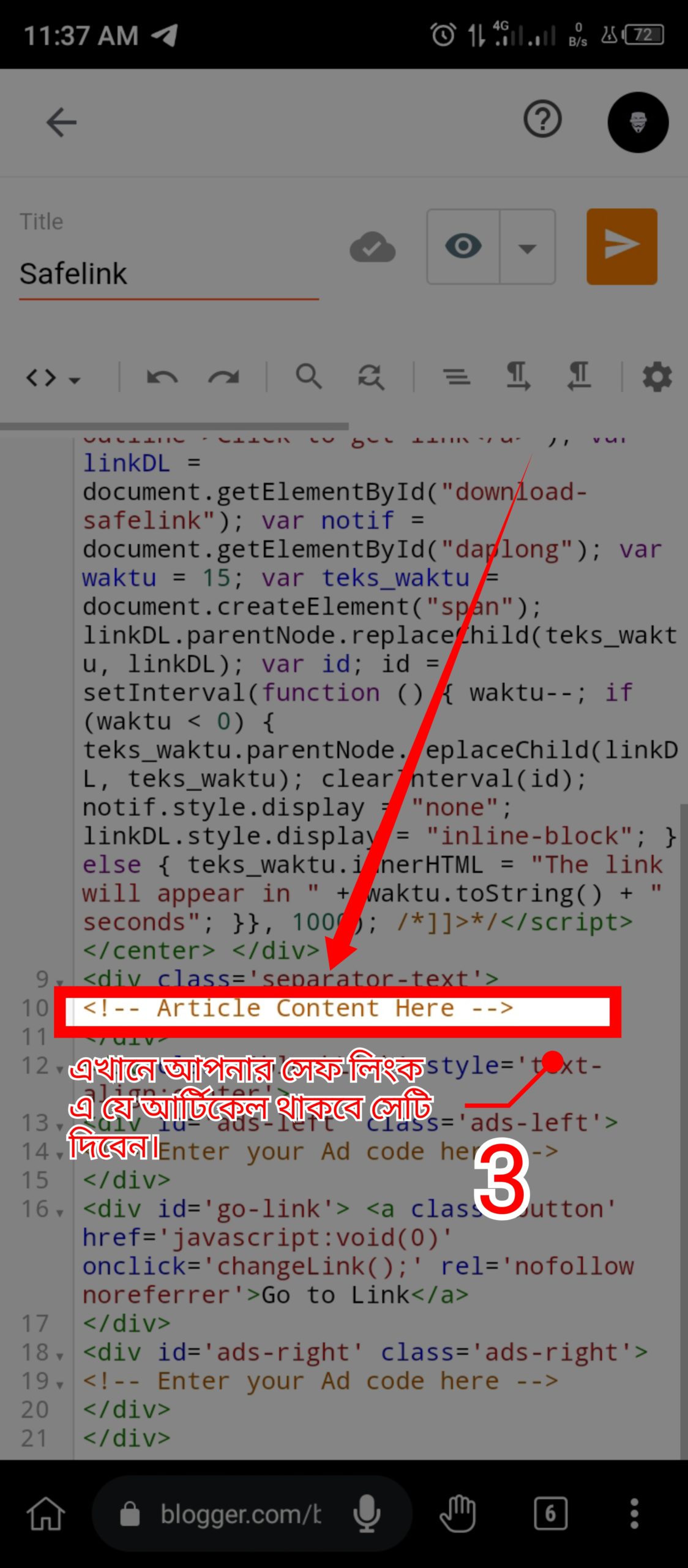
Step 9: Instead of Enter Your Ad Code Here, you will add your AdSense. By doing this, ads will show above (where the time countdown will be) and below (where the Get Link button will appear) your given article. Safelink is made to give ad code. So that the income is high. So don't miss it!
Section 2: Adding Script in head tag
Step 10: Now go to Theme as below screenshot. Then click on dropdown menu. Then click on Edit HTML .
Step 11 :
Now search tags. Use Hackers Keyboard to search on mobile and press Ctrl + f to search, you will get the option to search.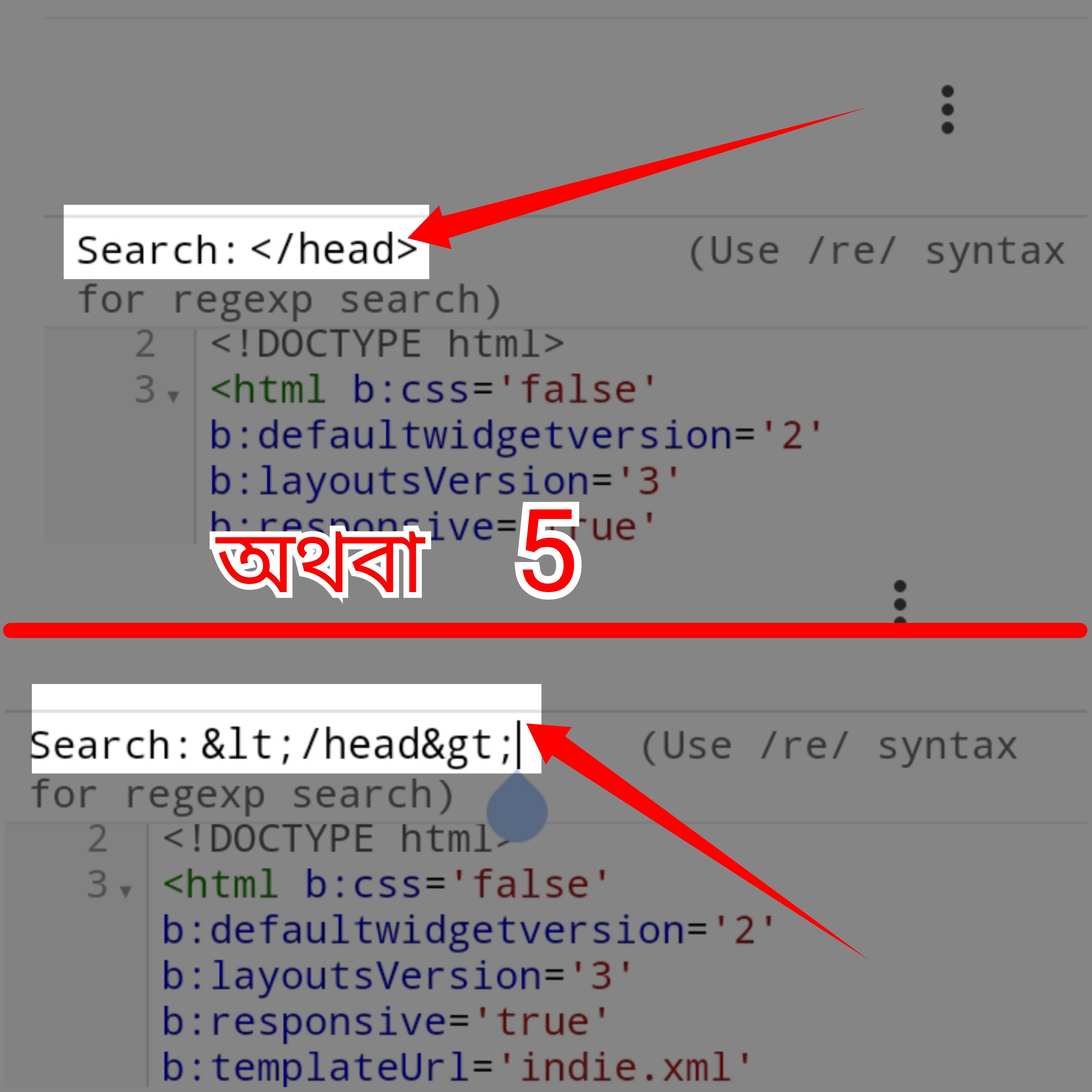
Step 12 :
Now paste the following codes above the tag.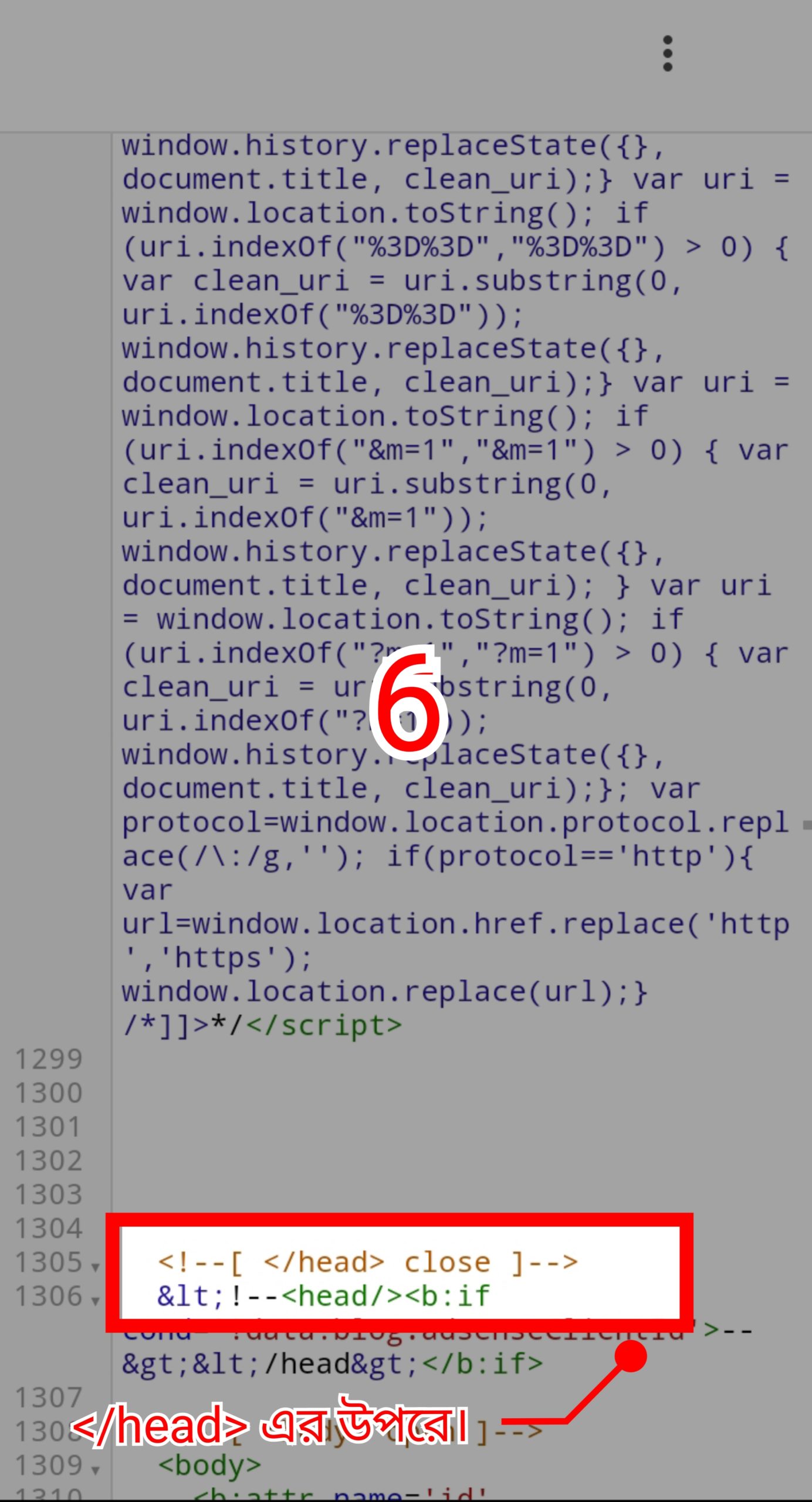
By clicking hereCodes from codepen (in css) are given. Copy it.
Section 3: Adding Script in body tag
Step 13 :
Search tags again.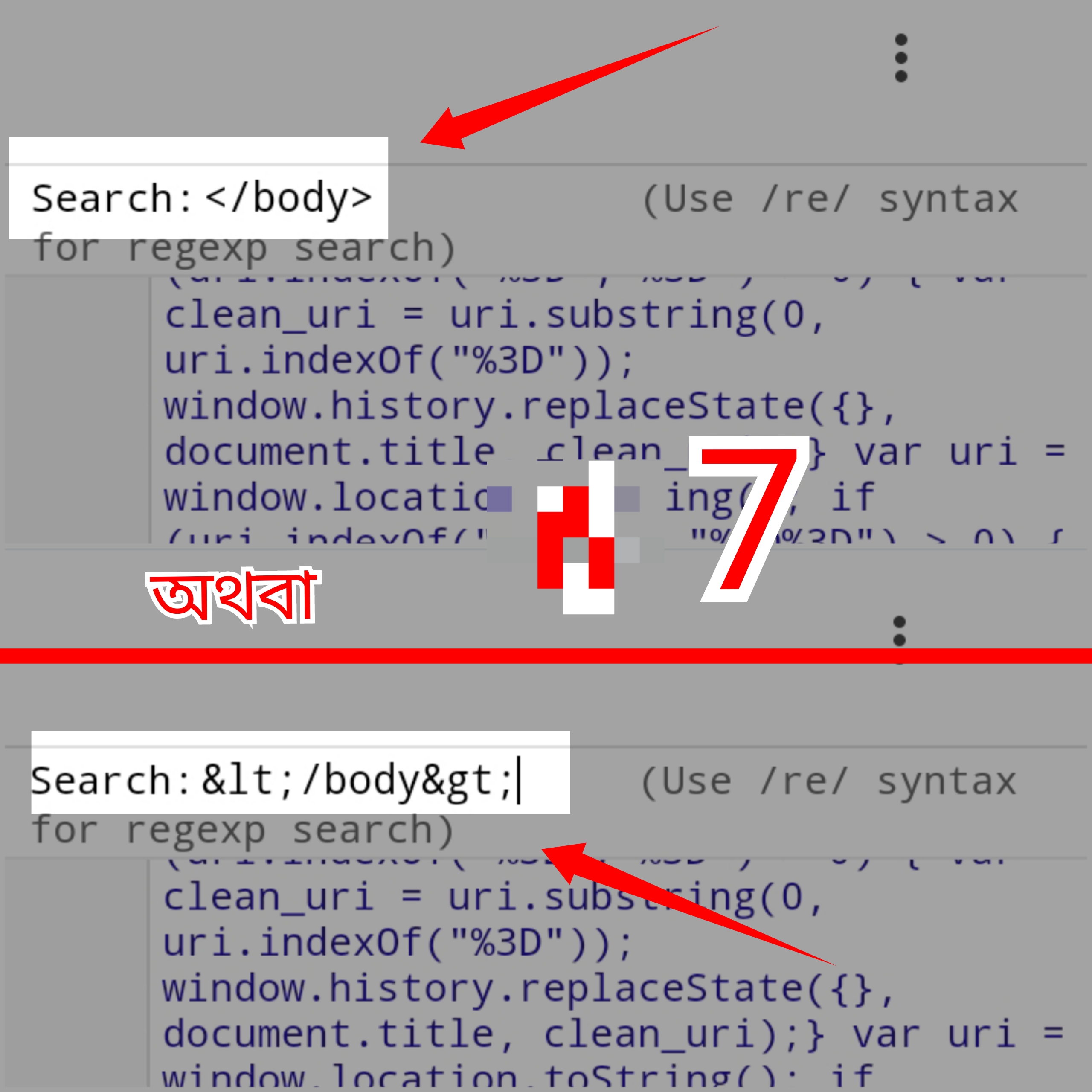
Step 14 :
Now paste the following codes above the tag.By clicking hereHere are the codes (in html) from codepen. Copy them.
Step 15 :
Now paste the codes above the tag and you will get 2 links of my site's safelink page as shown in the screenshot below. Replace them with the link of your site's safelink page.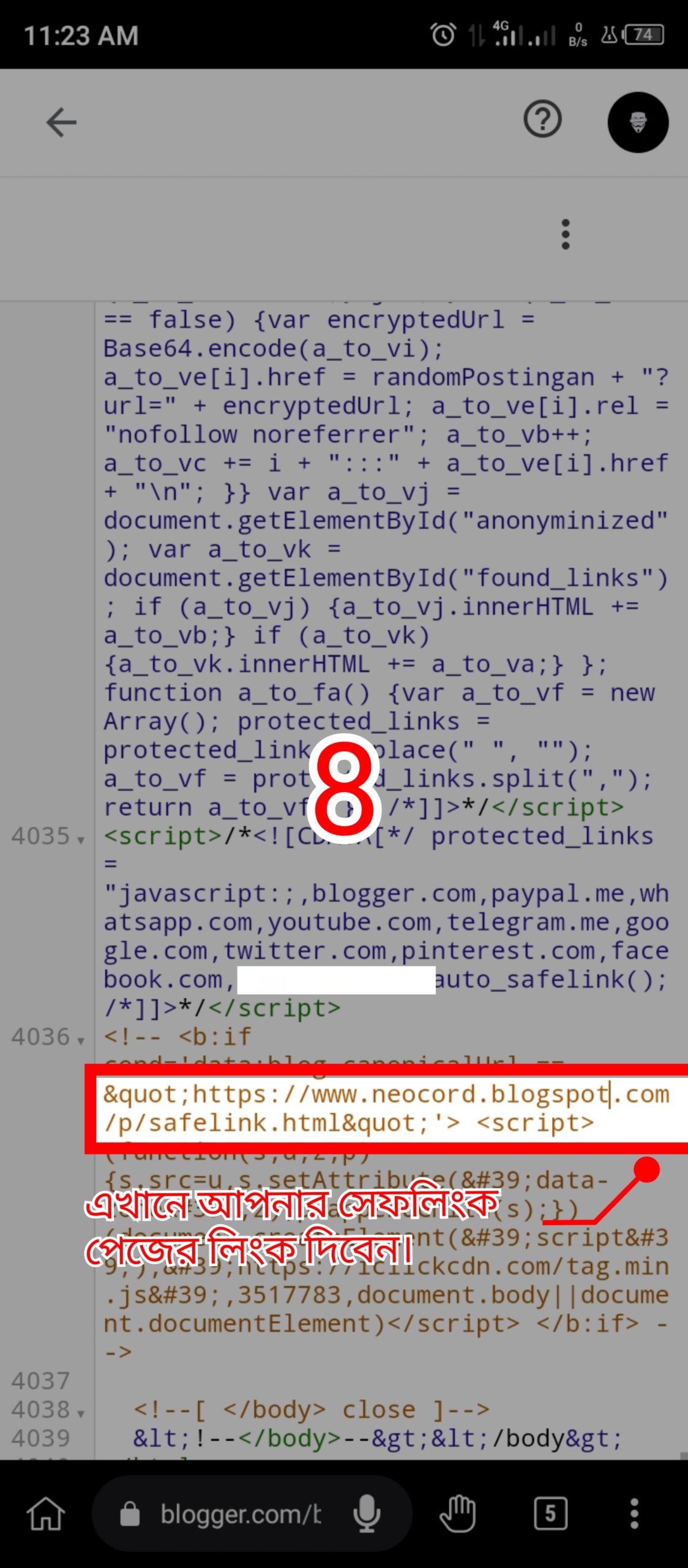
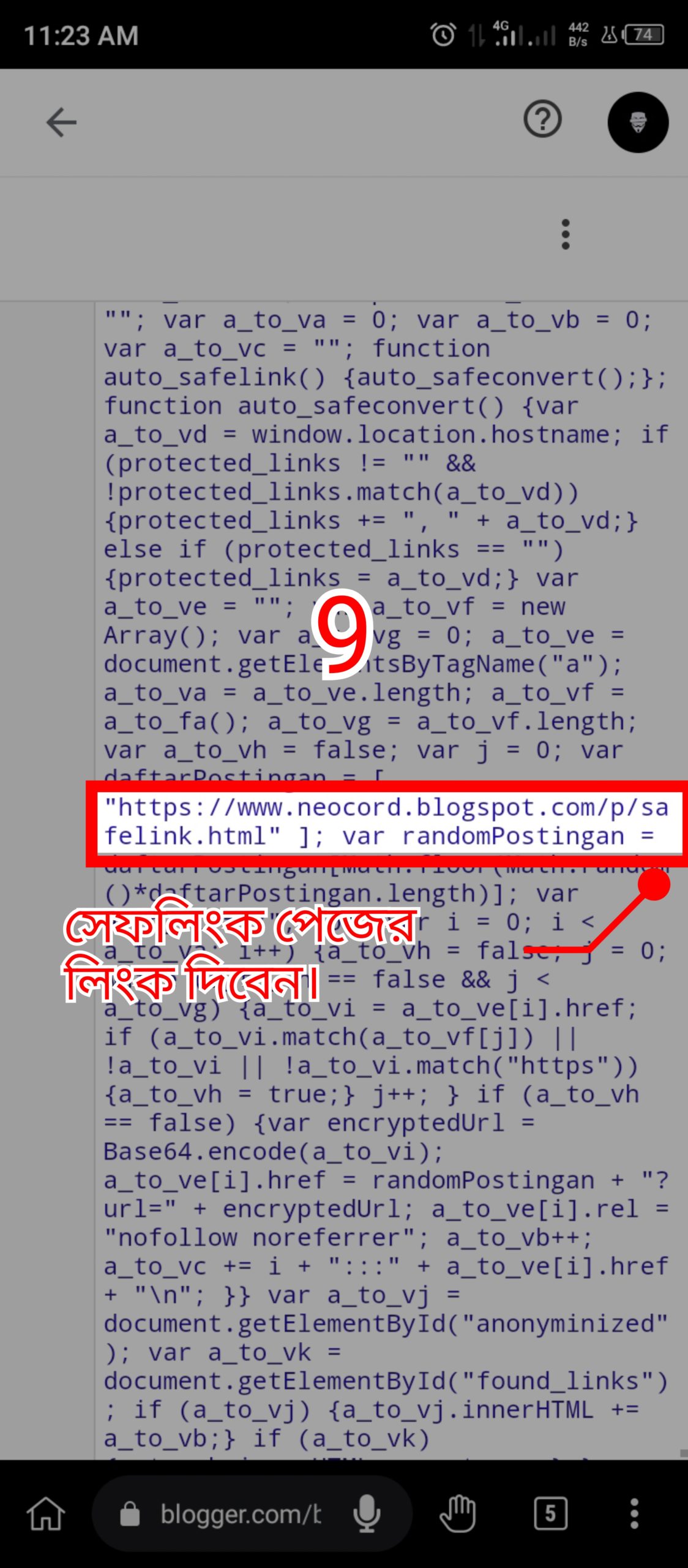
Step 16 :
Now you will find my site link above the code pasted above the tag. Replace it with your site link.
I hope you have completed all the steps well. Now click on any link on your site and it will redirect to your safelink. And the countdown is going on. If there is any problem, please comment, I will try to give a solution.
If you like the post, give a like. If it is useful, then my writings are worthwhile. To get the latest blogging tips,
