
What are subtitles?
Main title of your blog or subtitle with a word or few words next to the blog name. That is, suppose we have a blogging tutorial related blog. Now if we want we can add any word next to that blog name keeping the main title of our blog unchanged. In this case subtitle. The size will be a little smaller. For example: If Trickbd is the name of our blog, then we can give its subtitle .com or blogging hub or whatever you want to give.
Below is an example:

How to add subtitles to blogger blog?
You can easily add a subtitle next to the main title or blog name in your Blogger blog if you follow the below mentioned methods carefully and properly.
- First go to Blogger Dashboard .
- Then click on Themes and go inside the theme from the drop-down menu.
- Now search the ]]> code. Then paste the following CSS codes on this ]]> code.
.headerSub{margin-left:5px;font-family:var(--font-body);font-weight:400;font-size:11px;white-space:nowrap;text-overflow:ellipsis;overflow:hidden;max-width:50px;vertical-align:middle;opacity:.6;flex-shrink:0}.Header .headerSub:before{content: attr(data-text)}
- Now go to the header sectionFind the code.
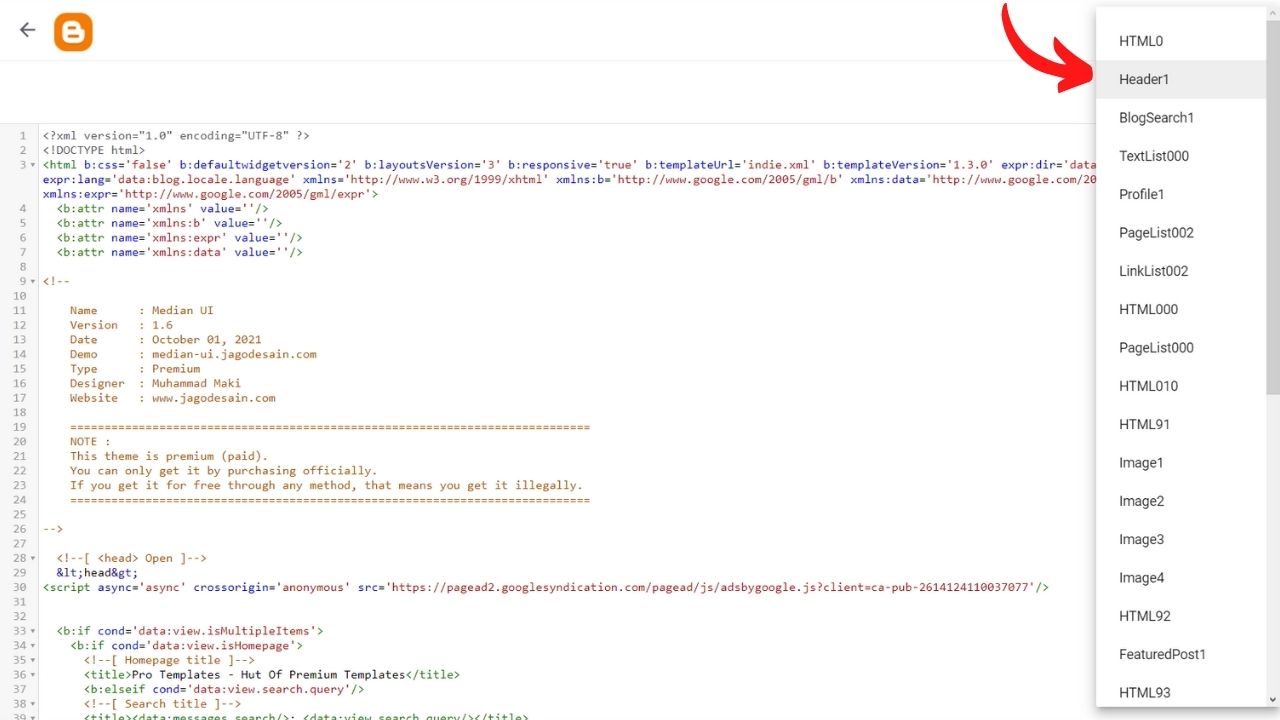
- nowPaste the following codes next to it as shown in the screenshot below.
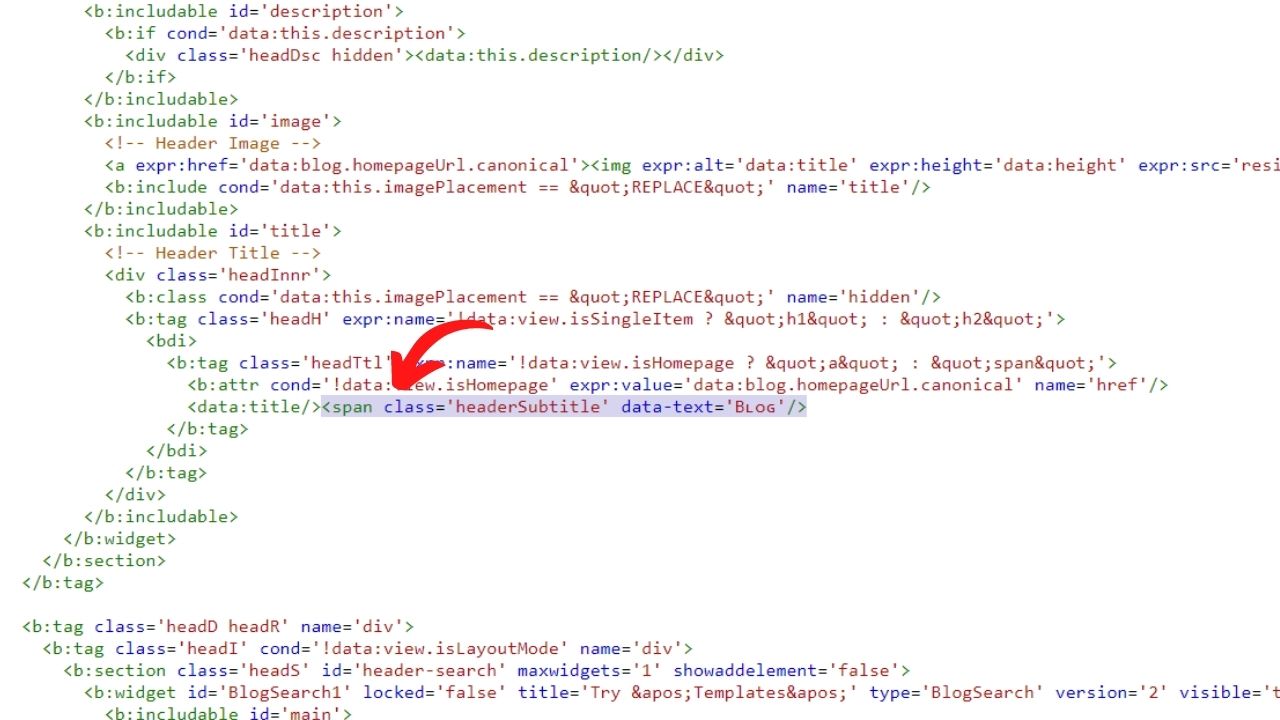
Here you can change the word Blog as you wish. So, this was the way to add subtitle next to blogger blog name .
How to add separate subtitle to post/page?
Know which bank is safe to keep money in
.Header .headerSub{max-width:none}
.Header .headerSub:before{content:"About"}
