Transfer your blogger website from one Google account to another Google account.
Assalamu Alaikum. The topic I am going to discuss is how to transfer your blogger site from one google account to another google account. Or in other words, how to add more admins to your site. You can add more than one admin to your blogger. on the site.
Think, you are the admin of a blogger site. That means the site is yours. Now if you sell the site or want to transfer it to your other Google account for some reason, then follow this procedure. After giving another account admin, if you want to remove your account. can do
This method may be known to many people. Again, those who are new to blogging, many of them are unknown. If you sell your blogger website, you have to pay with your Google account. As a result, the personal data in your account is gone. But after reading this post, you can transfer the website from one account to another account without giving your Google account.
How to transfer blogger site from one account account to another account?
First go to blogger dashboard
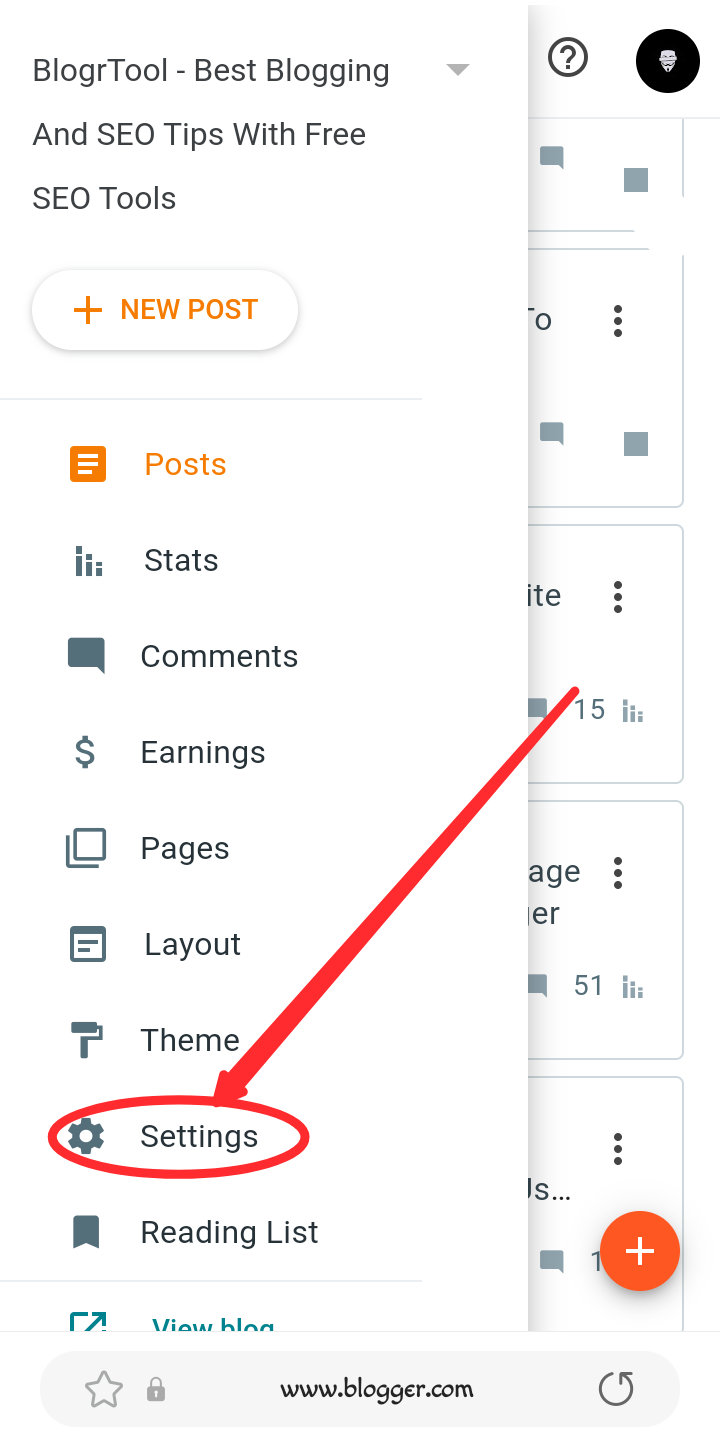
Then go to settings
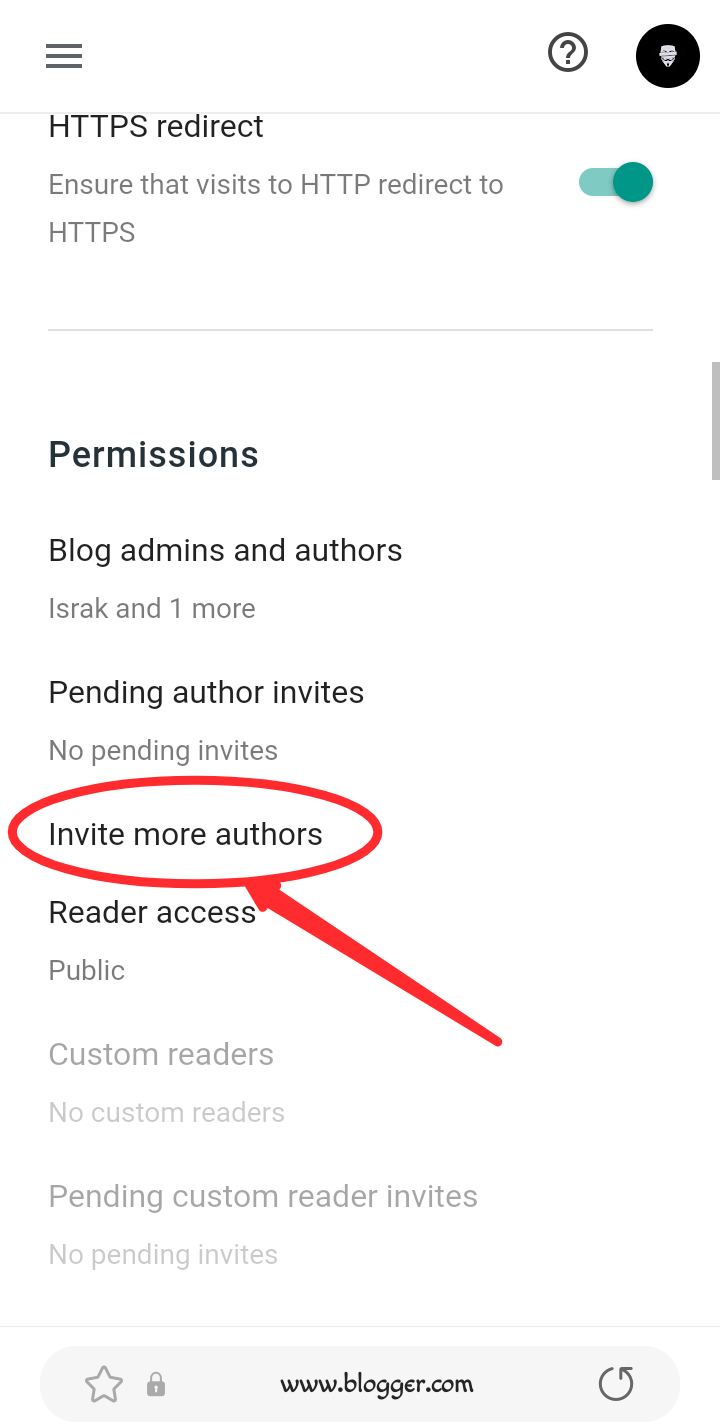
Now find the Permissions section and click on the Invite more authors option there.
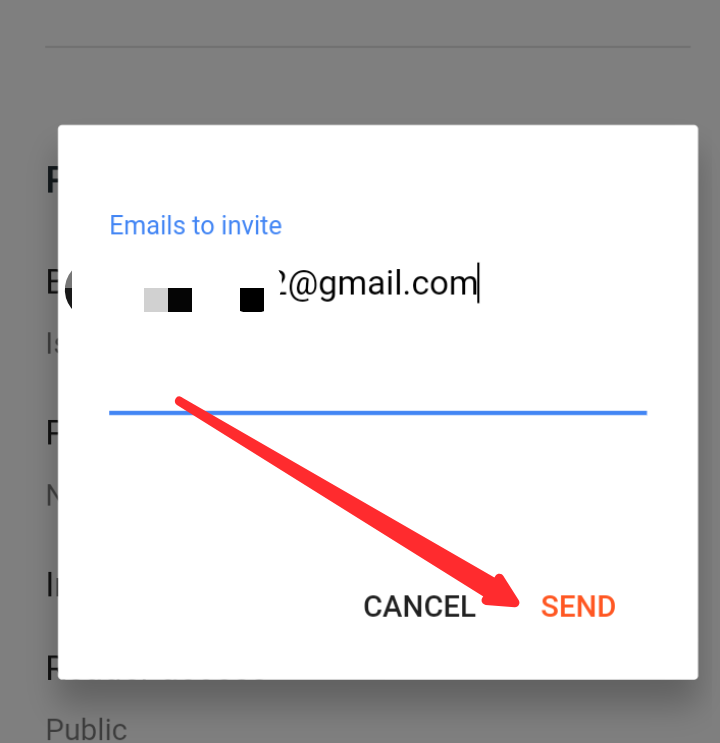
Enter the Google account you want to transfer the site to in the blank box. Then click the Send button.
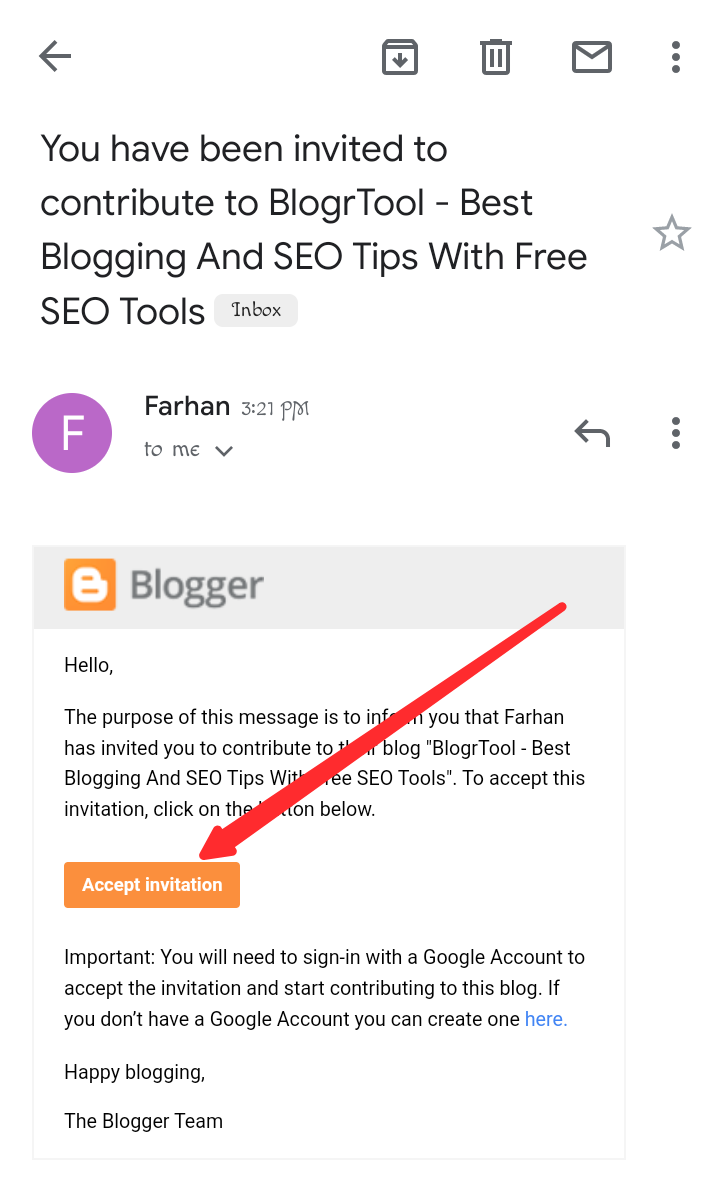
Check the inbox of the mail and see that a mail has arrived. Go inside it and you will find the Accept Invitation button. Click it.
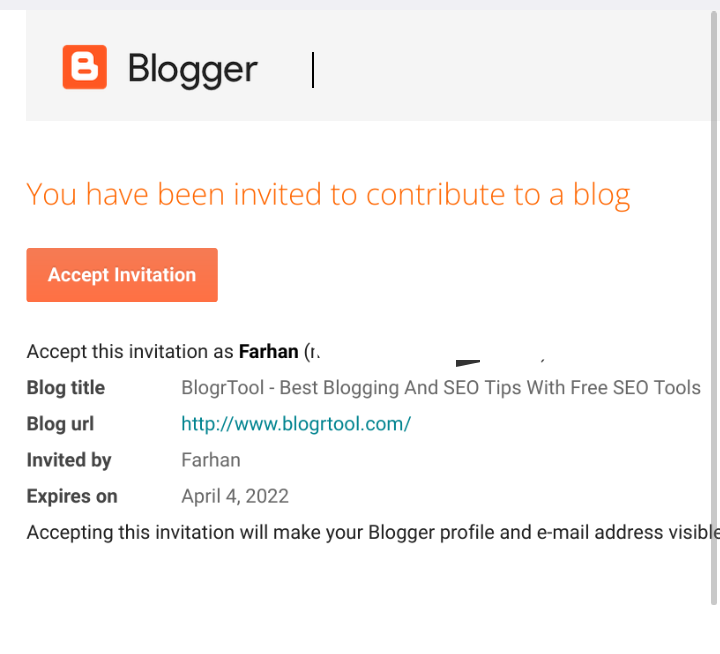
Then it will take you to a page like the screenshot below. Click on Accept Invitation there.
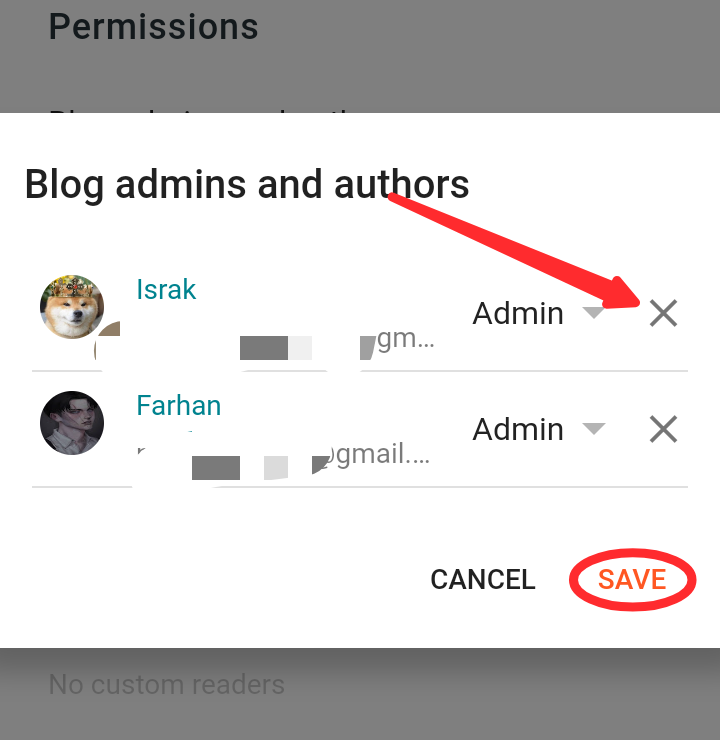
Again, go to Blogger settings – Permission section. Go there and click on Blog Admins and authors option. Then you will see something like below screenshot. There you will find a drop down menu with Author next to the new account you have invited. Click on it.
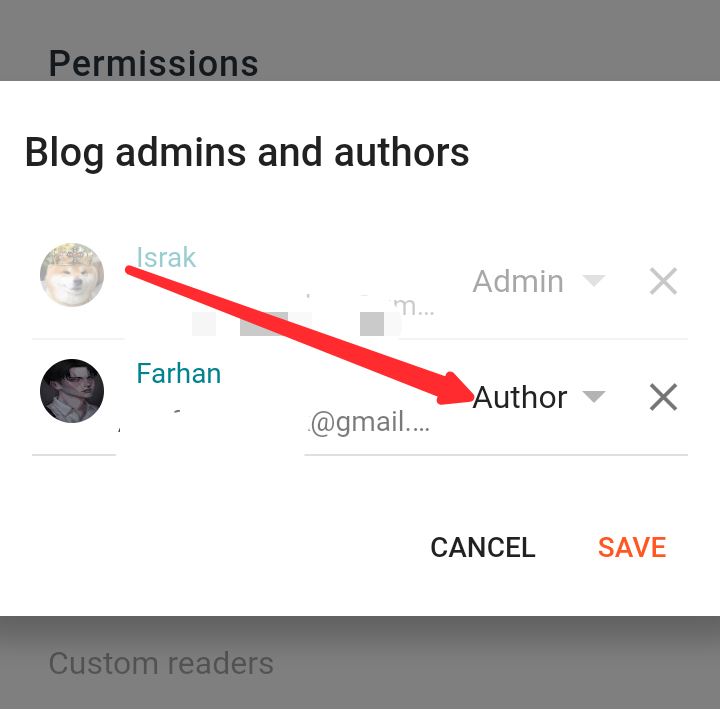
Then select Admin.
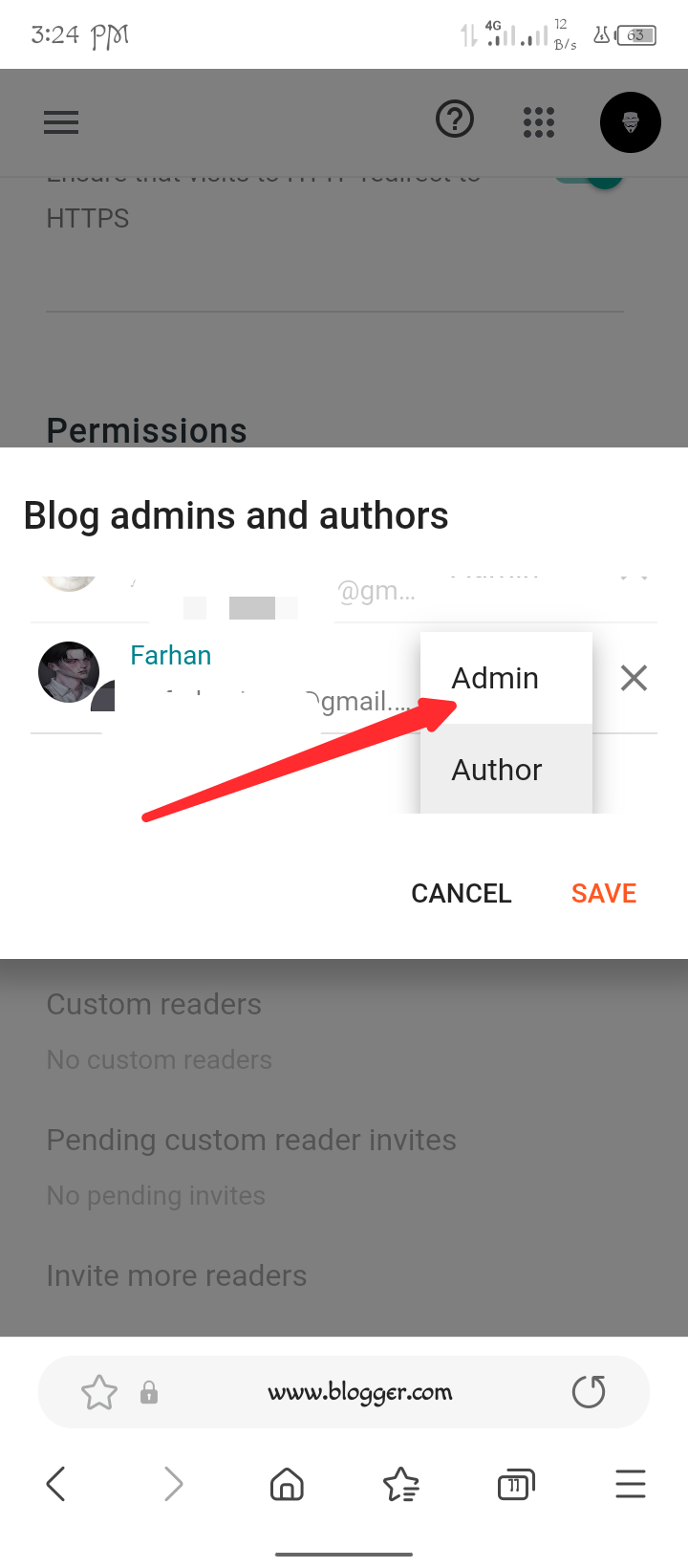
Your work is done. Now save the settings by clicking the Save button. You can see that your site now has 2 admins.
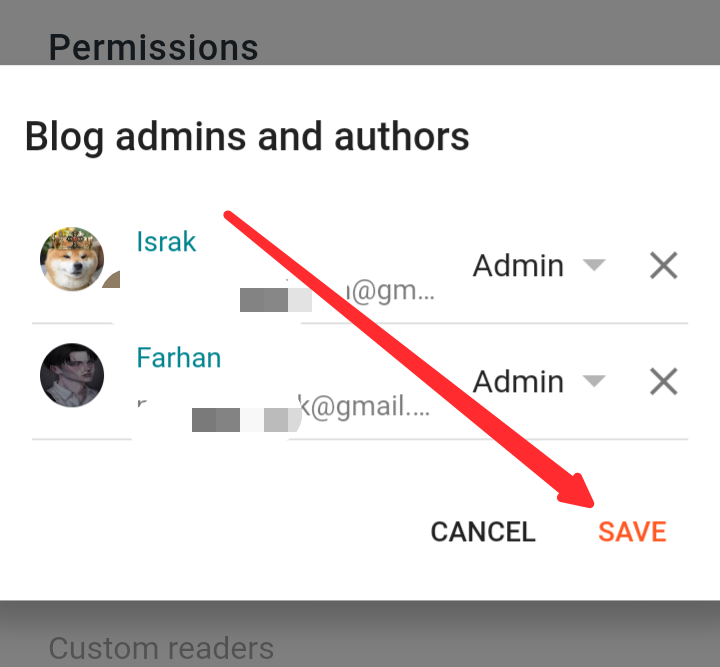
But, as I said earlier, if you have sold your blogger site, then to transfer the site again, you will find the x (cross) option next to the account you want to remove from the Blog Admins and authors option. You can remove the account by clicking on it. Or you can create the account from the dropdown menu. Then click the Save button to save.